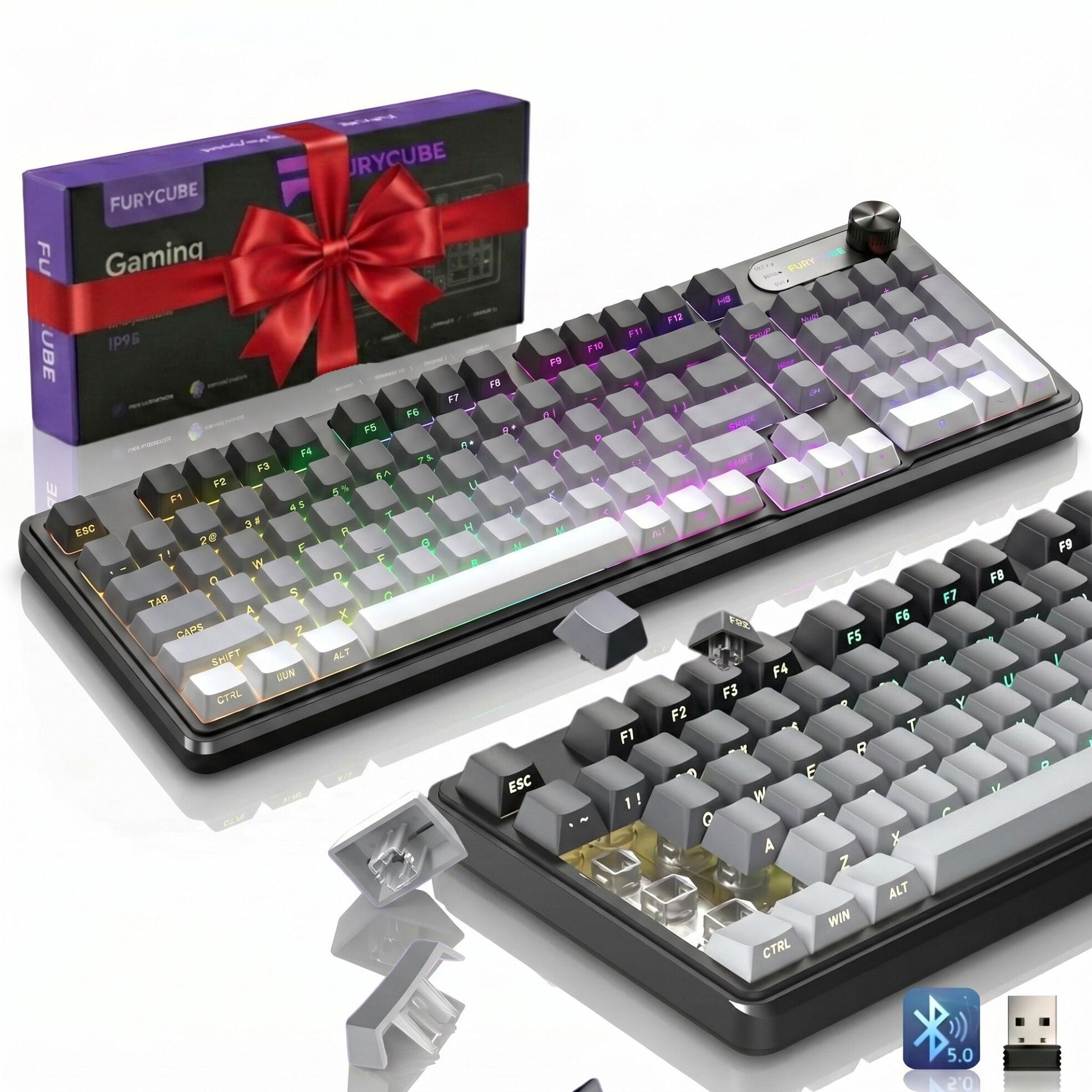
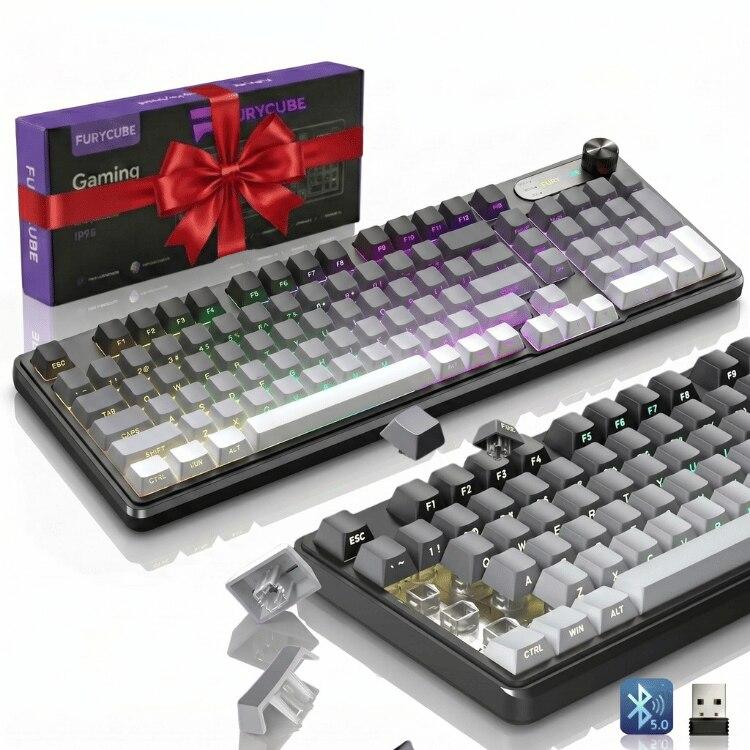
FURYCUBE Wireless Keyboard, White
FURYCUBE wireless keyboard, rechargeable battery, QWERTY.
Need help setting up your product?
We are here for you — anytime, even on weekends or late in the evening. Message us on WhatsApp and we will gladly help with any detail, technical or not. No question is too small!
Quick start
Get your product running in seconds.
Connect via the 2.4G USB receiver, Bluetooth or cable.
Read the manual and check the warranty.
Romanian brand 🇷🇴 — made by Romanians for Romanians
We value every customer and we are here for you. It would help us a lot if you left a review on eMAG — that is how we grow a Romanian brand and offer more and better products. Thank you!
Specifications
- Wireless 2.4GHz
- QWERTY
- Rechargeable battery
- Compatibility: Windows, macOS, Linux
Box contents
- 1 x Keyboard
- 1 x USB receiver
- 1 x USB-C cable
- 1 x Manual
User manuals
Specifications, connection, button programming, troubleshooting and warranty.
01General Presentation
The FURYCUBE IP98 PRO is a full-size (98-key) membrane keyboard with RGB backlight and three connection modes: 2.4G wireless, Bluetooth (up to 3 devices) and USB cable. It pairs with up to 5 devices and switches between them instantly. It has 19-key anti-ghosting, great for both office and gaming.
02Connection — 3 modes, up to 5 devices
The keyboard connects in 3 ways and remembers up to 5 devices (1× 2.4G, 3× Bluetooth, 1× cable). Below, step by step:
- 1TURN ON the keyboard with the ON/OFF switch (on the back).
- 22.4G MODE (wireless, simplest): plug the small USB receiver into a computer port. Press FN + 4 and hold 2 seconds — the indicator turns green and connects automatically.
- 3BLUETOOTH MODE (up to 3 devices — laptop, phone, tablet): 1) Press FN + 1 and hold 2 seconds — the indicator blinks blue (pairing). 2) On your phone/PC open Bluetooth settings and pick «FURYCUBE». 3) Done. For the 2nd device use FN + 2, for the 3rd FN + 3.
- 4CABLE MODE: connect the USB-C cable to the computer and press FN + 5. Works instantly.
- 5SWITCH BETWEEN DEVICES (short press): FN + 1 / U / I = Bluetooth 1 / 2 / 3, FN + 4 = 2.4G, FN + 5 = cable.
- FN + 4
- 2.4G mode — hold 2s to pair (green indicator)
- FN + 1
- Bluetooth 1 — short press = channel; hold 2s = pair (blue)
- FN + 2
- Bluetooth 2 — short press = channel; hold 2s = pair
- FN + 3
- Bluetooth 3 — short press = channel; hold 2s = pair
- FN + 5
- USB cable mode (mode indicator off)
The Bluetooth pairing window is 60 seconds; if the indicator blinks over 60s without connecting, the keyboard turns off — turn it back on and retry. If a device won't reconnect, delete «FURYCUBE» from the Bluetooth list and pair again.
03Key Combinations (FN)
Hold FN and press the indicated key. Media/system functions apply on Windows; some have a Mac equivalent.
- FN + F1 / F2
- Screen brightness − / +
- FN + F3
- Switch windows / Mission Control (Mac)
- FN + F4
- Microphone / Launchpad (Mac)
- FN + F5
- Media player / Siri (Mac)
- FN + F6 / F7
- Previous / next track
- FN + F8
- Play / Pause
- FN + F9 / F10
- Stop / Mute
- FN + F11 / F12
- Volume − / +
- Rotiță (Knob)
- One knob, two modes: in lighting mode, turning it changes the colors, dims or turns off the light; in sound mode, turning it raises or lowers the volume
- FN + Rotiță (apăsare)
- Switches the knob between the two modes: lighting ↔ volume
- FN + Insert
- Change lighting effect
- FN + PgUp / PgDn
- Backlight brightness + / −
- FN + (+) / (−)
- Effect speed + / −
- FN + W
- Swap WASD ↔ arrow keys
- FN + N / FN + S
- Switch to Windows / Mac mode
- FN + Backspace
- Backlight on / off
- FN + Win (stânga)
- Lock the Windows key (avoids accidental presses in games)
04Specifications
- Key type
- Membrană (98 taste, full-size)
- Connectivity
- 2.4G + Bluetooth 5.0 (×3) + USB
- Simultaneous devices
- până la 5 / up to 5
- Lighting
- RGB, 7 efecte / effects
- Anti-ghosting
- 19 taste / keys
- Power
- 5V, <240mA · acumulator reîncărcabil USB-C
- Cable
- USB Type-C, 1.5 m
- Dimensions
- 385 × 136 × 35.5 mm
- Compatibility
- Windows XP/Vista/7/8/10, Mac
05What's in the Box
- 1× FURYCUBE IP98 PRO keyboard
- 1× 2.4G USB receiver
- 1× USB Type-C charging cable
- 1× User manual
06FAQ & Troubleshooting
- Nu se conectează pe Bluetooth
- Delete "FURYCUBE" from the device's Bluetooth list and re-pair (hold FN+1/2/3 2s). Pairing window is 60s.
- Nu răspunde pe 2.4G
- Check the USB receiver in the computer and that the mode is 2.4G (FN+4). On power-up the indicator blinks green.
- Se oprește singură
- It has auto sleep to save battery; press any key to wake. Charge it via USB-C.
- Nu se aprinde iluminarea
- Turn it on with FN+Backspace; adjust brightness with FN+PgUp.
07Where to find Bluetooth settings on a computer / phone
If this is your first time connecting something over Bluetooth, here is exactly where to click on each system. Do this AFTER you have put the product into pairing mode (the indicator is blinking).
- Windows 11
- Start → Settings → Bluetooth & devices → "Add device" → choose "Bluetooth" → click the product name in the list.
- Windows 10
- Start → Settings → Devices → Bluetooth & other devices → "Add Bluetooth or other device" → "Bluetooth" → click the product name.
- macOS (MacBook, iMac)
- Apple menu () top-left → System Settings → Bluetooth → click "Connect" next to the product.
- Android (telefon / tabletă)
- Settings → Connected devices → "Pair new device" → tap the product name. (On Samsung: Settings → Connections → Bluetooth.)
- iPhone / iPad
- Settings → Bluetooth → make sure it is on → tap the product name under "Other devices".
If the product does not show up: 1) check that the indicator really is blinking (if not, repeat the pairing combination); 2) keep the product under 1 metre away; 3) turn Bluetooth off and on again on the computer/phone; 4) turn off other nearby Bluetooth devices trying to connect at the same time.
08Typing different symbols than printed? (keyboard language)
If you press Y and Z appears, or the quotes and symbols do not come out where they are printed, the keyboard is NOT faulty. It is the language setting in the computer, which tells the system which keyboard it thinks you have.
The keyboard has standard Latin letters (QWERTY). Which symbol each press produces is decided by the operating system.
- Comută rapid între limbi
- Windows: hold the Windows key and press the Space bar (or left Alt + Shift). Mac: Ctrl + Space bar.
- Adaugă limba română (Windows 11)
- Settings → Time & language → Language & region → Add a language → "Romanian". For ă î â ș ț choose the "Romanian (Standard)" variant.
- Vrei semnele exact ca pe taste
- Choose the "English (United States)" layout — then every symbol comes out exactly where it is printed on the keyboard.
- Scrie DOAR cu majuscule
- Press the Caps Lock key once. The "A" indicator should go out.
09Technical Words, in Plain Language
If you came across a word in this manual that you do not know, here it is explained simply. You do not need to memorise them — just look here when you need to.
- Receptor (dongle) 2.4G
- The small piece of plastic that goes into the computer's USB port. It talks wirelessly to the product. Without it the 2.4G mode does not work — but the product still works over Bluetooth, if it has it.
- 2.4G
- A wireless mode that needs the receiver from the box. Upside: works instantly, no setup, and is the most stable. Downside: it uses a USB port and you need the receiver.
- Bluetooth
- A wireless mode that does NOT need a receiver — it connects straight to a laptop, phone or tablet. The first time it must be "paired"; after that it reconnects on its own.
- Asociere (pairing)
- The one-time introduction between the product and the device. The product makes itself "visible" (the indicator blinks), you pick it from the Bluetooth list, and from then on they know each other.
- USB-C (Type-C)
- The small oval plug that goes in either way up — the same as on modern phones. USB-A is the classic rectangular plug.
- Stand-by (adormire)
- After a few minutes of no use the product "falls asleep" so it does not drain the battery. It wakes on the first press or movement — that is why the first action is sometimes not registered. It is not a fault.
- Tasta FN
- The key that opens the keyboard's "second floor". Held down, the keys do something other than their big printed label — exactly what is drawn in small type.
- Switch mecanic
- Each key has its own physical spring-loaded switch. Hence the clear feel on press, the characteristic sound and a life of millions of presses.
- Tastatură cu membrană
- Under the keys there is a rubber membrane making the contact. The press is softer and far quieter than mechanical — suited to offices and shared spaces.
- Anti-ghosting
- You can hold several keys at once and all of them register correctly. It matters in games, where you hold move + jump + something else together.
- Layout 60% / TKL / full-size
- How big the keyboard is. Full-size has everything, including the number pad on the right. TKL has no number pad. 60% has neither the number pad nor a separate F1–F12 row — those come via FN.
- Num Lock
- Switches the right-hand number pad between "types digits" and "navigates" (arrows, Home, End). If you press 4 and the cursor moves left, press Num Lock.
10Safety — Read Once
- Do not take the product apart or try to repair it yourself — you void the warranty and you could get hurt.
- Keep it away from water, moisture and extreme temperatures (direct sun in a car, radiator, oven).
- Do not leave it within reach of very small children: small parts (the USB receiver, caps) can be swallowed.
- Use it only with the accessories from the box or good-quality equivalents.
- The battery is a built-in Li-Po. Do not pierce it, burn it or submerge it in water.
- Charge only with an ordinary phone cable and charger (5V). Do not use high-power or improvised chargers.
- If the product swells, gets very hot while charging or smells odd, stop charging immediately and contact us.
- Products with batteries must not go in household waste — take them to a WEEE collection point (most large stores have one).
11Still not working? Write to us — we will help
If you have tried the steps in this manual and it still does not work, do not force it and do not take anything apart. Write to us and we will sort it out together — no question is too simple and nobody is judging you.
The fastest answer comes over WhatsApp, at +40 720 697 932. We reply in the evenings and at weekends too.
- 1Write to us on WhatsApp at +40 720 697 932, or use the form on support-netstat.ro → Contact.
- 2Tell us which product you have — the easiest is the code on the box or the exact name from your order.
- 3Describe briefly what happens ("it connects but does not type", "I cannot find it in the Bluetooth list", "it does not turn on at all").
- 4Tell us what you have already tried from the manual — that way we will not ask you to repeat the same steps.
- 5If you can, send a photo or a short video. We often solve it straight away just by looking.
On support-netstat.ro you will also find: the manuals as PDFs in 4 languages, the warranty certificate (you generate it yourself in minutes on the "Warranty certificate" page) and the return request form. The Troubleshooting section with the most common problems is there too.
12Warranty & Support
The product is covered by warranty according to applicable law. For any question, fault or return, reach us anytime at support-netstat.ro — with contact details (e-mail, phone, WhatsApp), manuals, return conditions and warranty certificates. We reply fast and gladly.
PDF+−
Why buy from us
First setup — quick
- 1Turn the device on (ON/OFF switch).
- 2Connect via 2.4G (USB receiver) or pair via Bluetooth.
- 3Done — it works immediately. Charge via USB-C when needed.
Exact steps (pairing, key combos) are in the manual below.
What's in the box
- 1 x Keyboard
- 1 x USB receiver
- 1 x USB-C cable
- 1 x Manual
Terms in plain words
How many times per second the device reports position/press (Hz). Higher = faster response, useful in gaming.
You can press multiple keys at once and all register correctly — essential in gaming.
Each key has its own physical switch: precise, durable (millions of presses) actuation with a clear feel.
Already have the product?
Your feedback means a lot to a Romanian brand. It takes 30 seconds and helps us a lot.
Leave feedback on eMAGOther colors / variants
What customers say
The gaming mouse is excellent, and customizing the buttons right in the browser is super simple. Fast support on WhatsApp.
I received the warranty certificate by email within minutes. Everything clear and professional.
The manuals in 4 languages are very useful. The mechanical keyboard looks and sounds perfect.
Good products at a fair price. I would like more colors available, but the support is impeccable.
Frequently asked questions
What warranty do the products have?
24 months commercial warranty + 24 months legal conformity warranty (per Romanian OG 140/2021).
How do I get the warranty certificate?
Fill in the form on the «Warranty certificate» page, select your product and enter the order details — you receive the PDF certificate by email.
How do I return a product?
Submit an online return request on the «Return request» page. We reply within 2 business days.
How do I customize the mouse buttons?
On the mouse page (W10/W13) open «Button Customization Software» right in the browser (Chrome/Edge). Important: it works only via the 2.4G USB receiver or cable — NOT over Bluetooth, for security reasons.
Where do I download the manuals?
From the «Manuals» page or directly on each product page. Manuals are free, in PDF, in 4 languages.
In which languages do you offer support?
Romanian, English, Hungarian and Bulgarian. You can reach us by email, phone or WhatsApp.
After purchase
Similar products